Version 2.1.0
New Features
Export Deal Notes to PDF
This update gives agents a quick and professional way to print/share deal notes - improving documentation and compliance tracking.
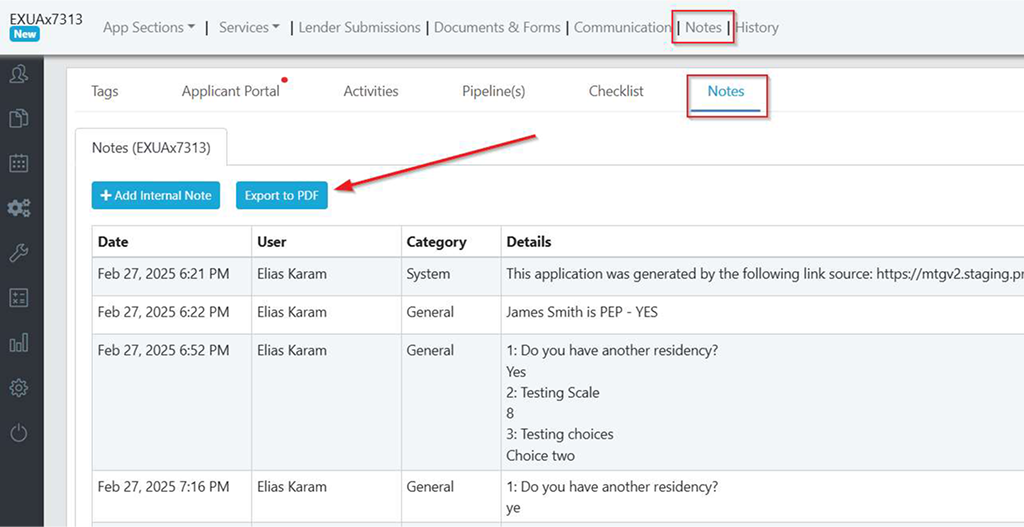
- A new "Export to PDF" button has been added to the Notes section of every deal.
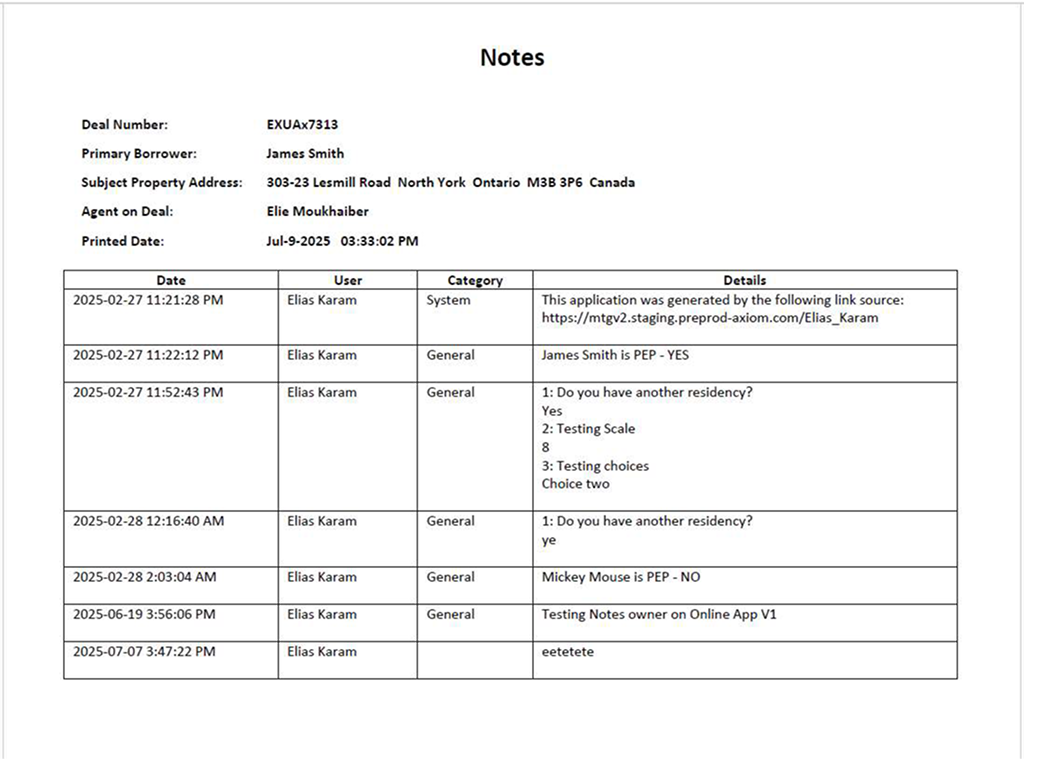
- When selected, the system will generate a PDF containing all internal notes logged on the deal.
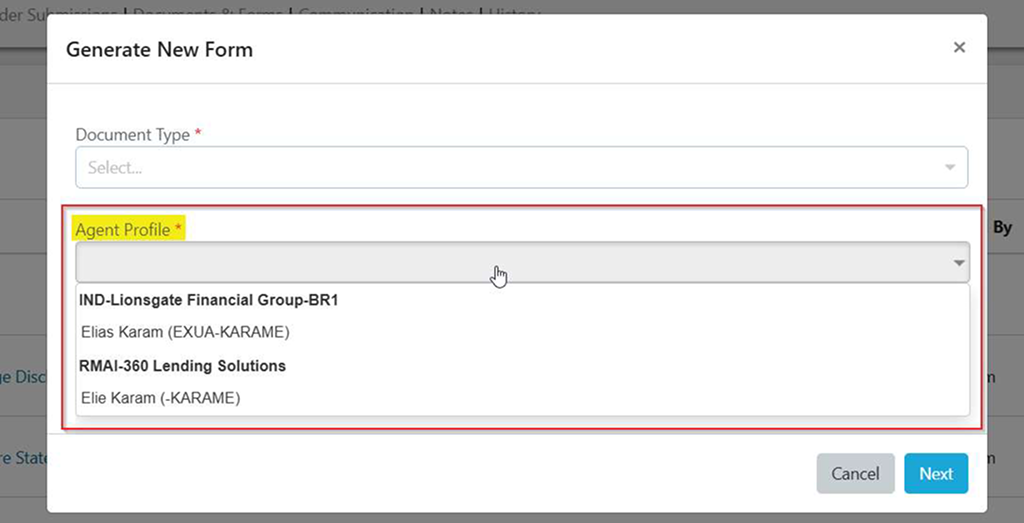
Select Agent Profile When Generating Forms
This update adds a new dropdown that allows agents with multiple profiles to select the appropriate Agent Profile when generating forms - ensuring the correct profile details are automatically filled in.
FINTRAC - New Incoming System Notifications (IDV Completion)
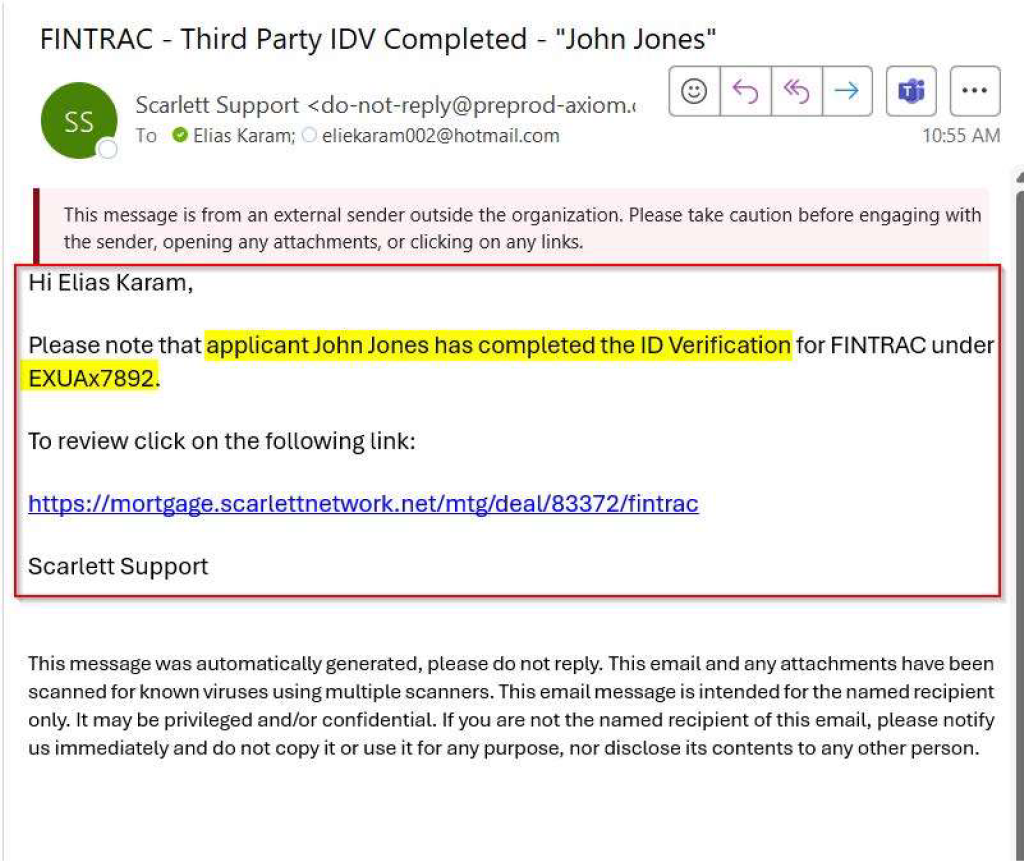
A new system notification has been added to alert users when an applicant completes their third-party ID verification for FINTRAC compliance.
How it works:
Under Email Accounts → Incoming System Notifications
A new toggle option is now available:
"FINTRAC – Third Party ID Verification Completed"
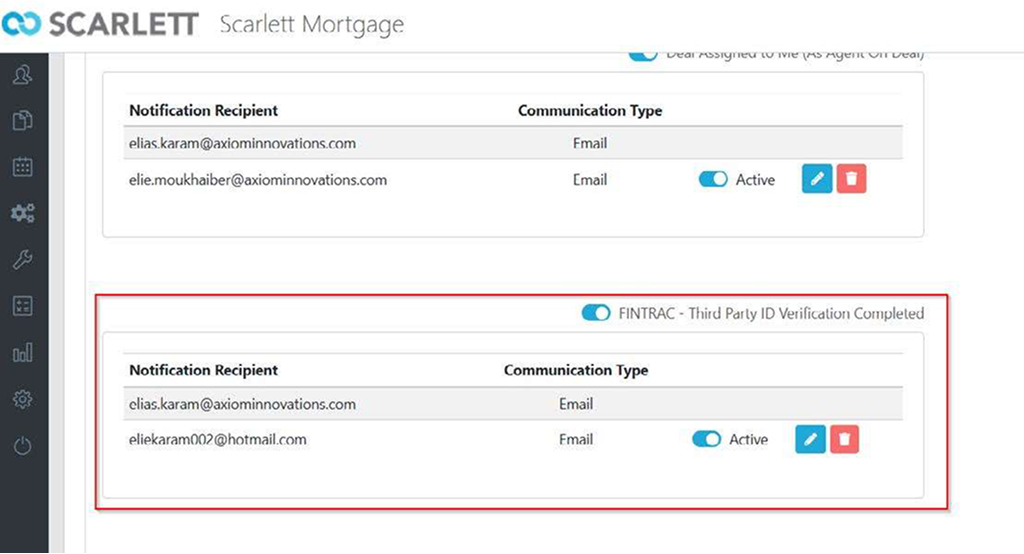
When an applicant completes the ID verification (via Equifax or VeriFast), an email notification will automatically be sent to the assigned notification recipients.
This ensures agents are instantly informed when FINTRAC ID verification is complete.
Clients Now Able to Request HELOC on the Application
Agents can now capture client interest in a Home Equity Line of Credit (HELOC) directly within the Client Application process for Purchase & Refinance Option.
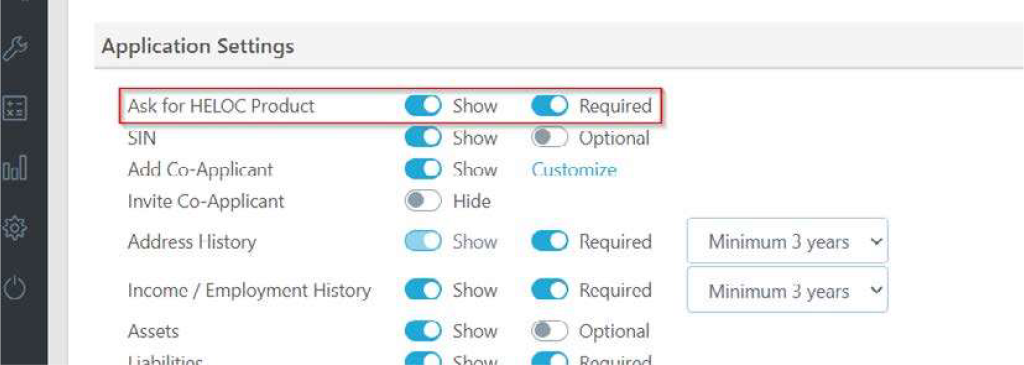
A new setting "Ask for HELOC Product" is now available under App Settings 3.0:
Agents can choose to:
- Show or Hide the question
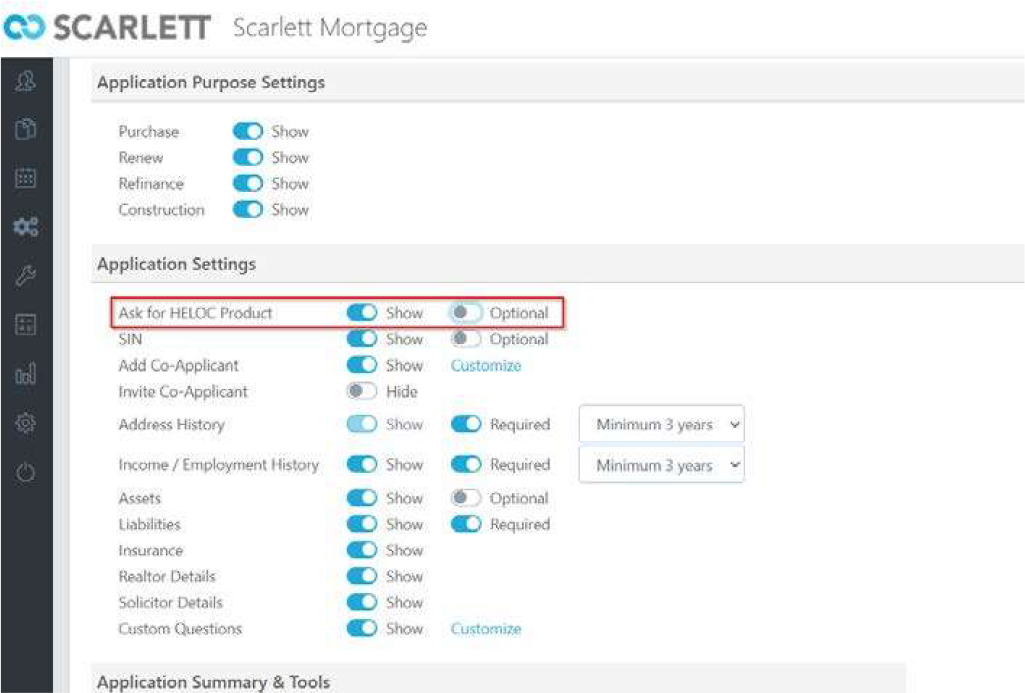
- Set it as Optional or Required
A new question has been added at the end of the Interview section:
"Are you interested in applying for a Home Equity Line of Credit (HELOC)?"
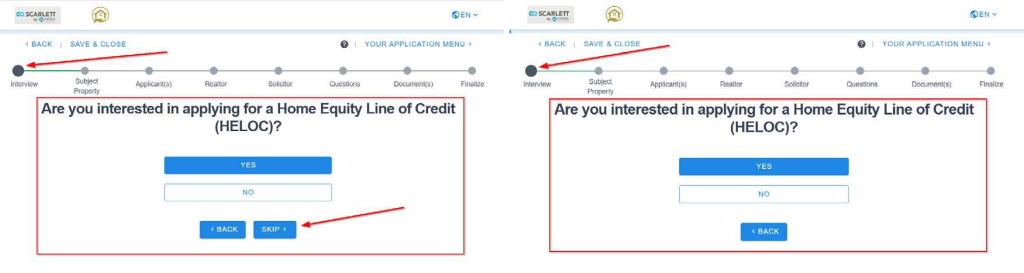
If the applicant selects 'YES',
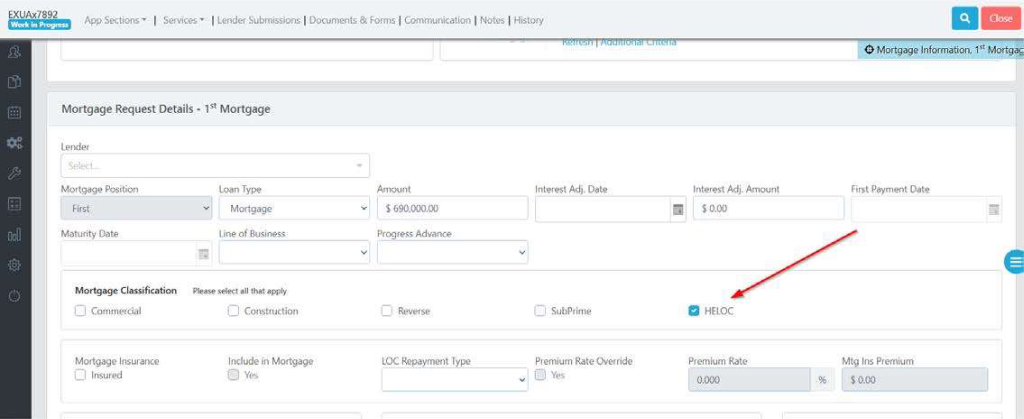
- HELOC Flag is Enabled in the application created on Scarlett MTG:
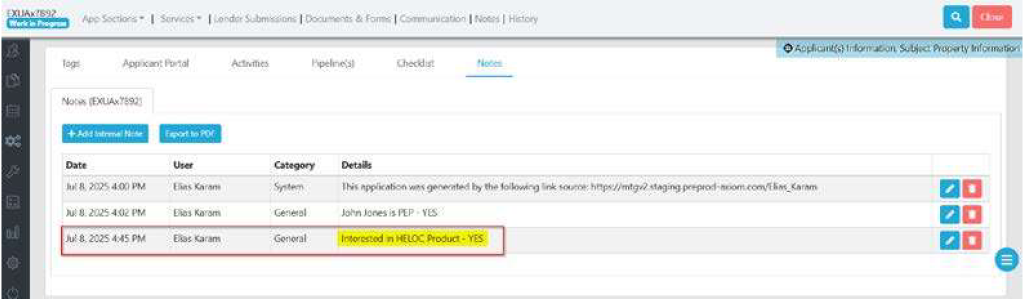
- The response is automatically logged in the deal’s Notes section
Request Document(s) Update in Leads & Integration with App 3.0
The Request Documents tool within the Leads module has been upgraded to fully match the App 3.0 experience - giving agents a modern, seamless document collection workflow directly from a lead profile.
How it works:
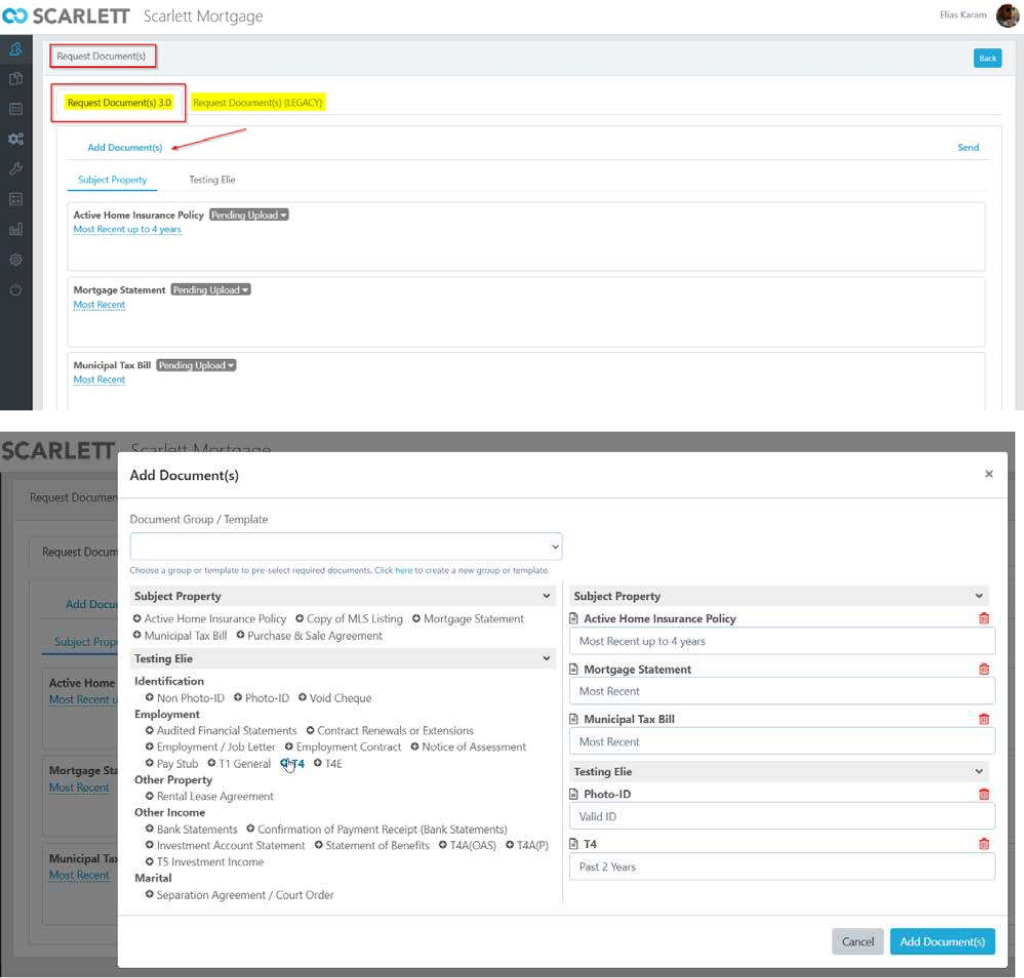
Under any Lead → Documents tab, agents can now access: Tools → Request Document(s)
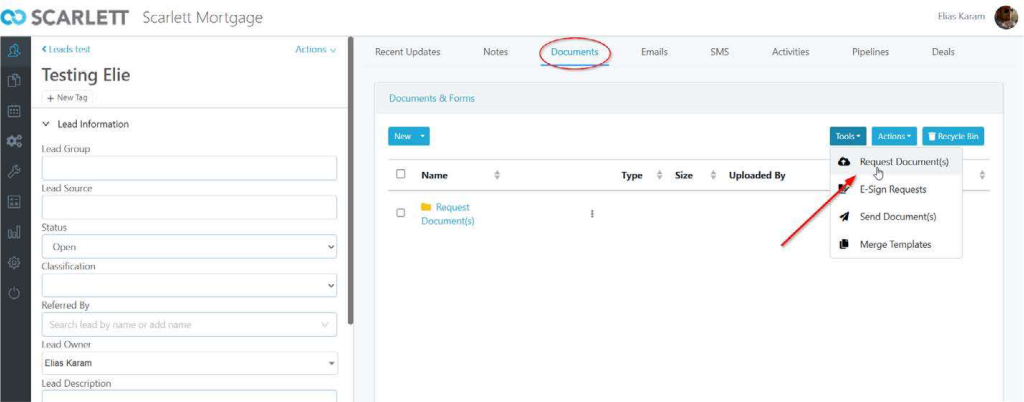
Select 'Request Document (s) 3.0' tab → click on 'Add Document(s)' will open the list of documents (mirrors the layout, behaviour and flexibility of document request within Apps & Deals)
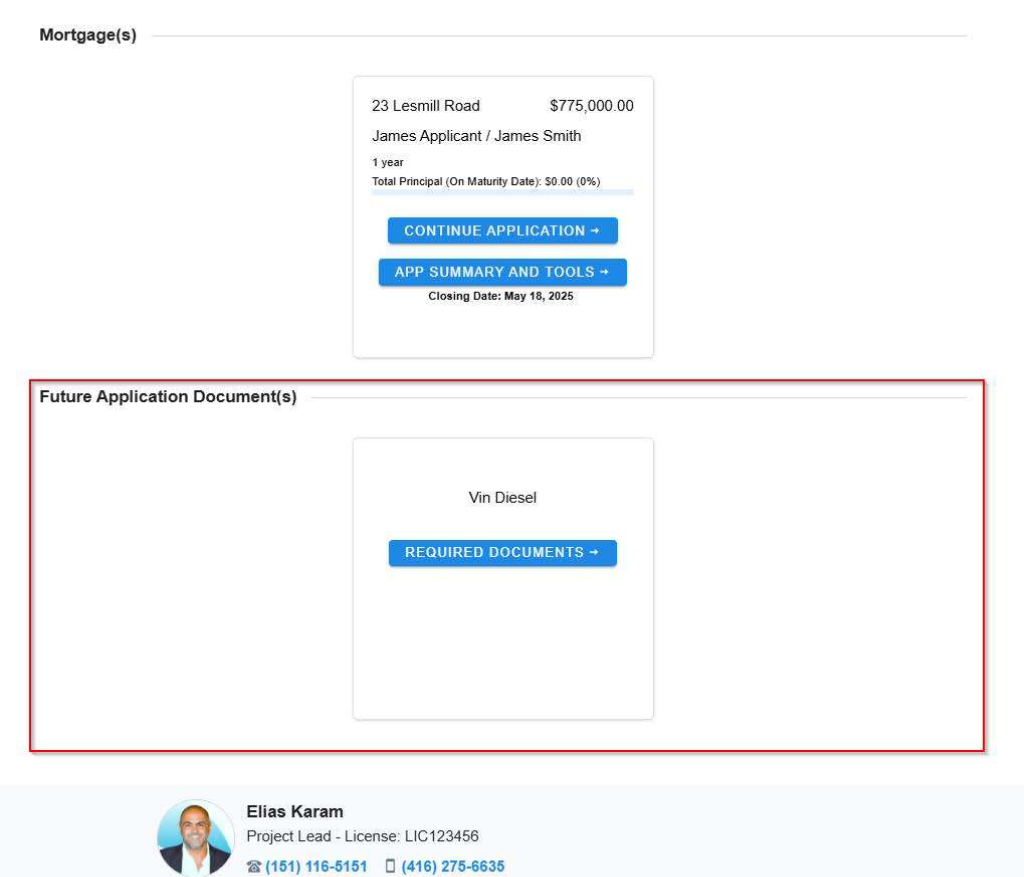
Once a document request is sent from the lead, the applicant will see it in their App 3.0 portal under a new section called ‘Future Application Document(s)'
This allows clients to submit documents securely - even before starting a formal application - ensuring all uploaded files are stored in one unified experience.
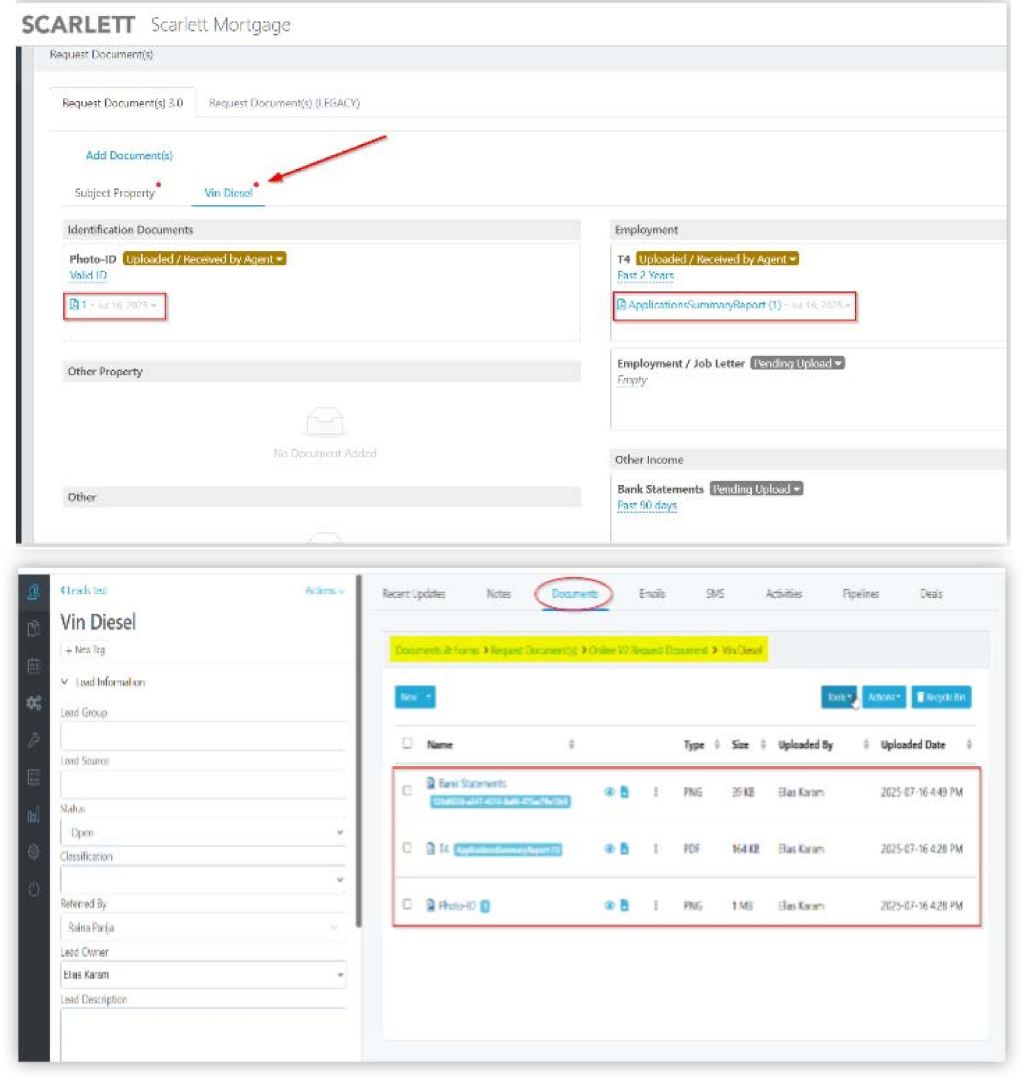
Any documents uploaded by the applicant will appear in the
- Request Document(s) 3.0 interface
- Sync to the Documents tab under the lead profile
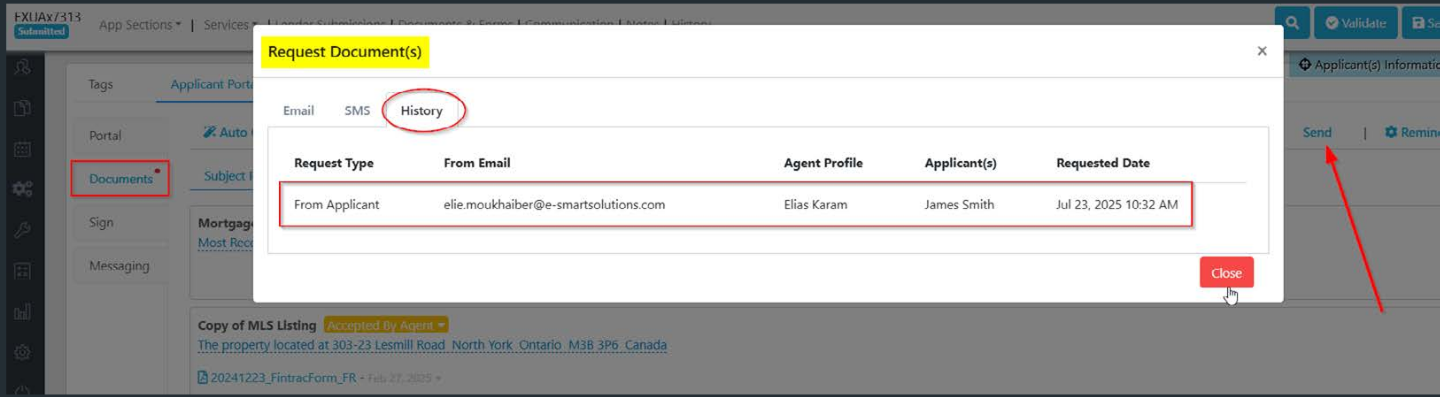
History Tab Added to Request Documents
A new "History" tab has been added to the Request Document(s) window in the Application Portal, making it easy for agents to track all document requests.
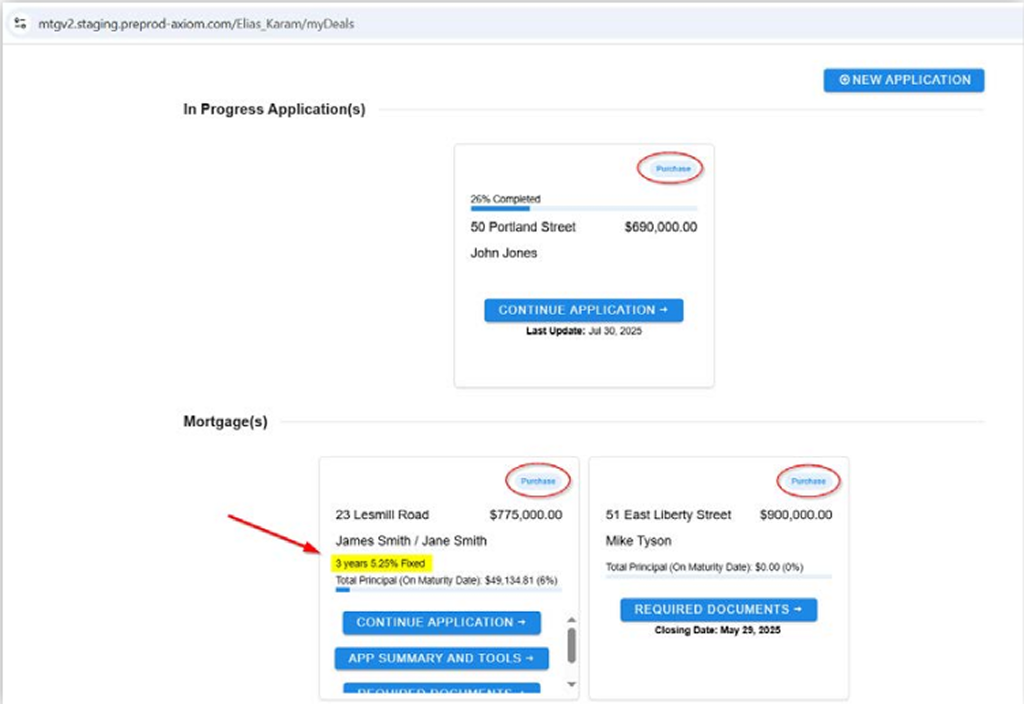
Increased Agent Control over Dashboard Tiles Details
Agents can now show or hide the following:
- Purpose
- Interest Rate
- Rate Type
- Term
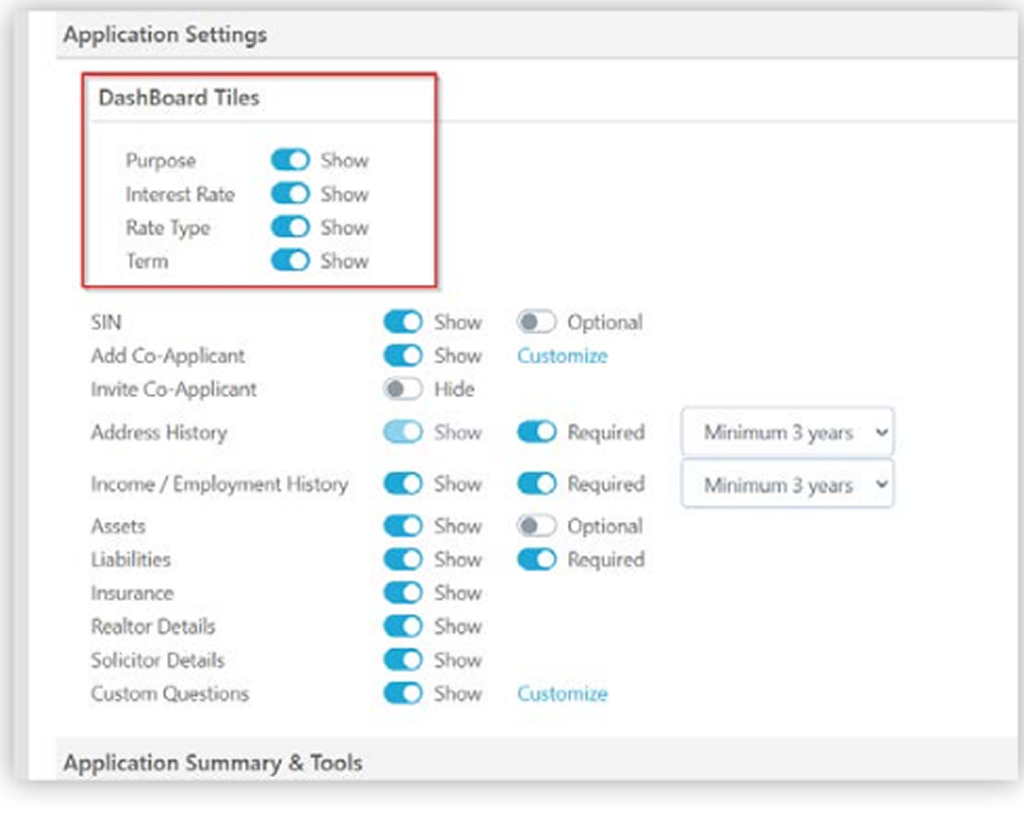
Agents now have more control over what their clients see in the App 3.0 dashboard. A new Dashboard Tiles section has been added under App Settings 3.0 → Application Settings, allowing agents to choose which key details are visible on the client-facing tile.