
Version 2.3.2
New Features
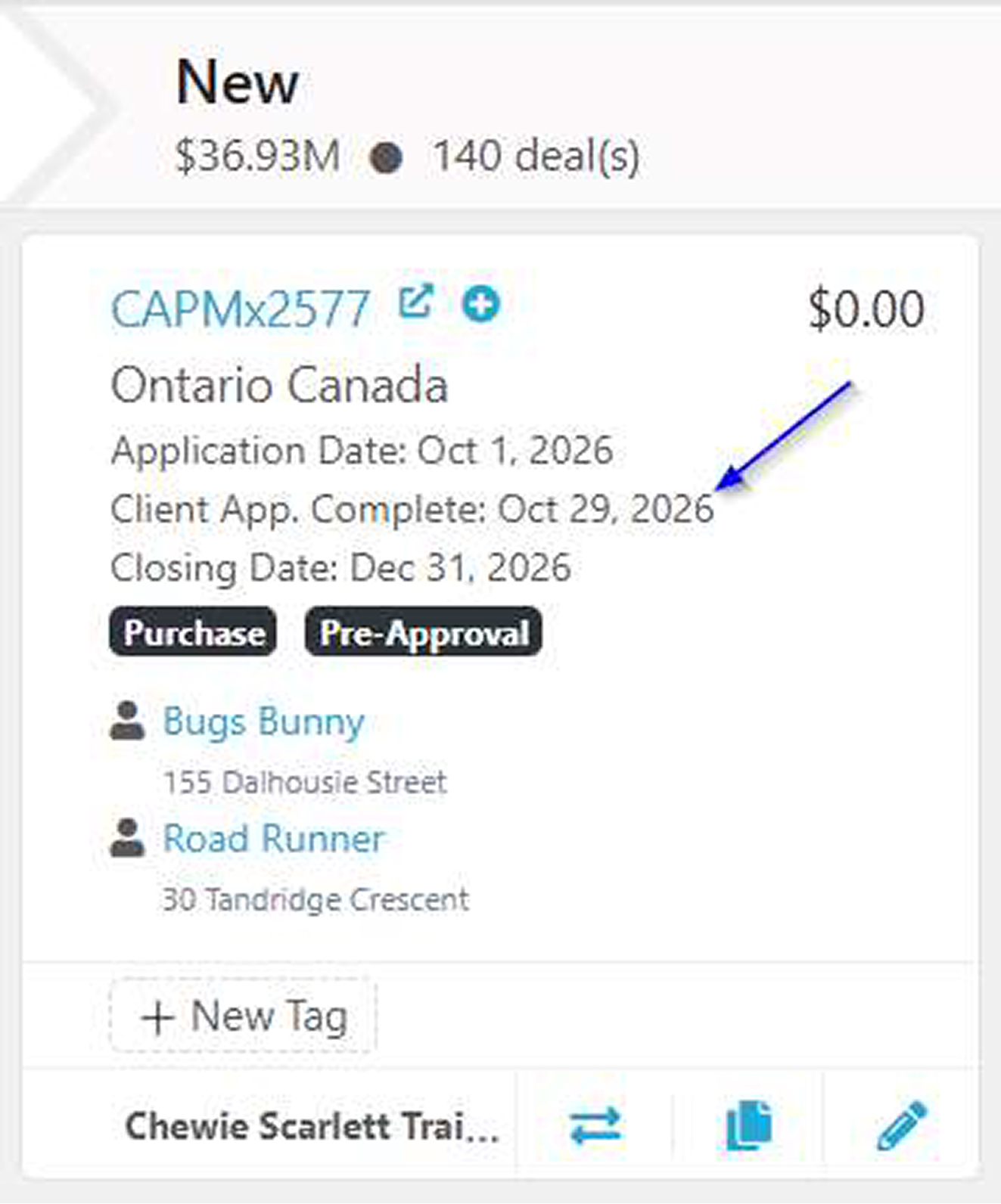
New Client Application Completion Date
You can now easily see when your client submitted their online mortgage application. Previous fields allowed you to see when they started the
application, but not when they completed it.
A new Client App. Complete field automatically records the date your client submits their application, making it easier to track application
progress and identify completed submissions. This date is available in several places within Scarlett:
Deal Tiles — Display the submission date directly on your deal tiles
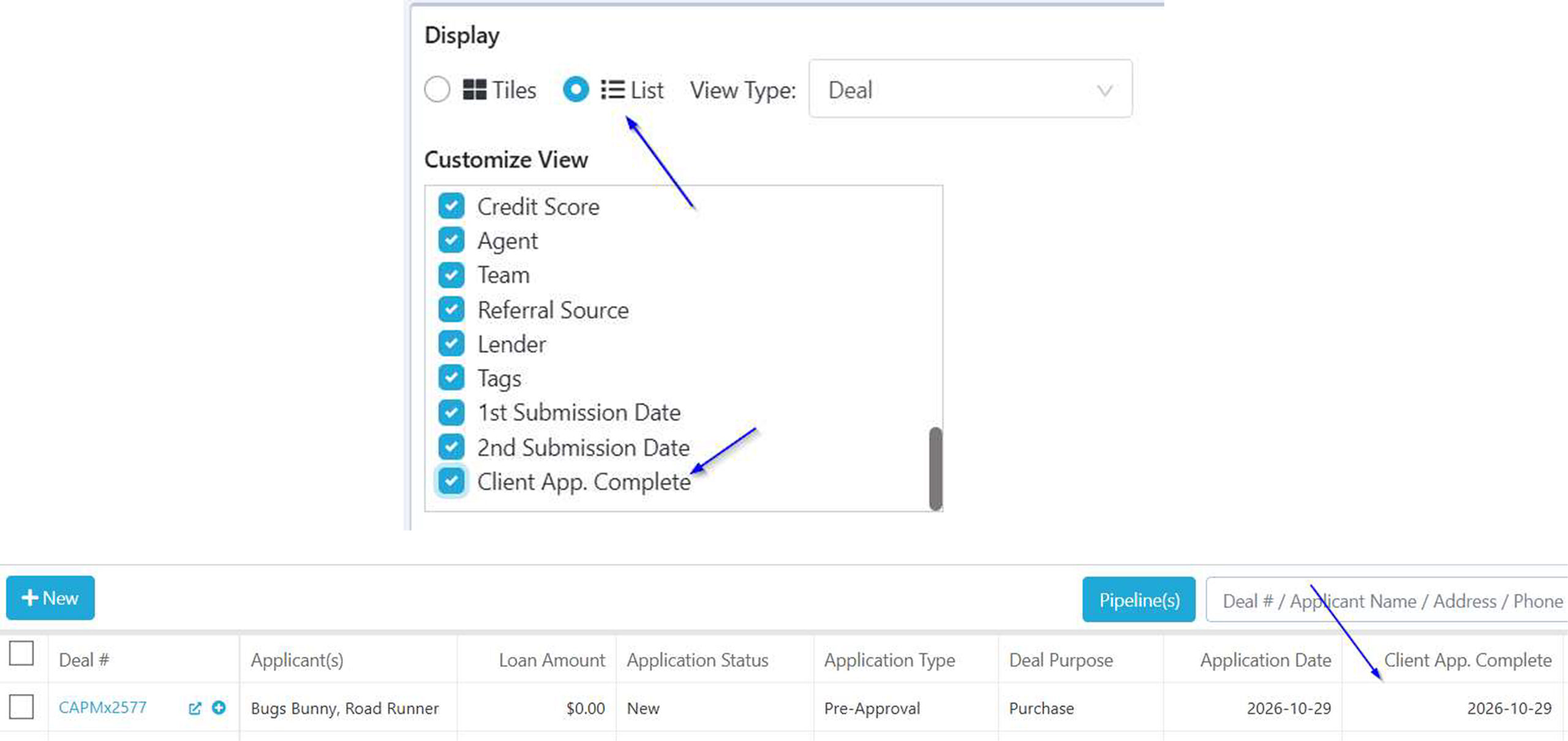
List View — Add the field through Customize Tiles & List View to see submission dates across your deals.
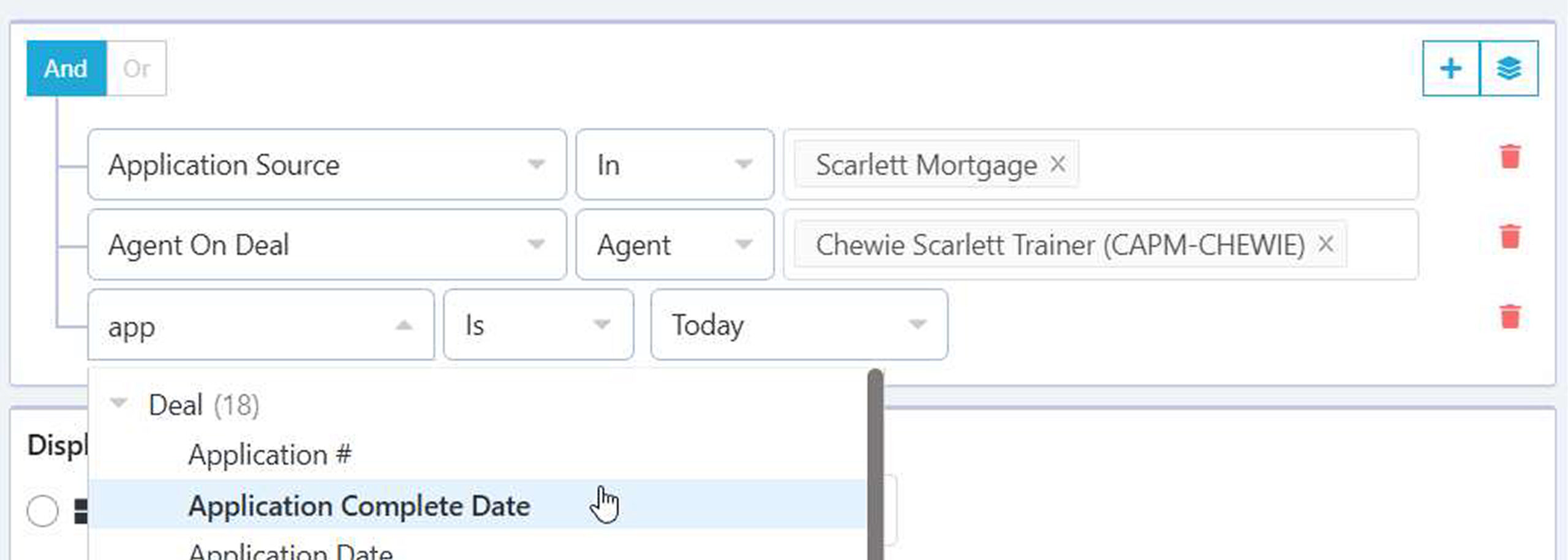
Filters — Use Deal > Application Complete Date to find and organize deals based on when applications were submitted.
New British Columbia Disclosure Forms
We’ve added 23 new British Columbia disclosure forms to Scarlett Mortgage.
These forms are now available in production, expanding the selection of provincial disclosure documents available to you within Scarlett.
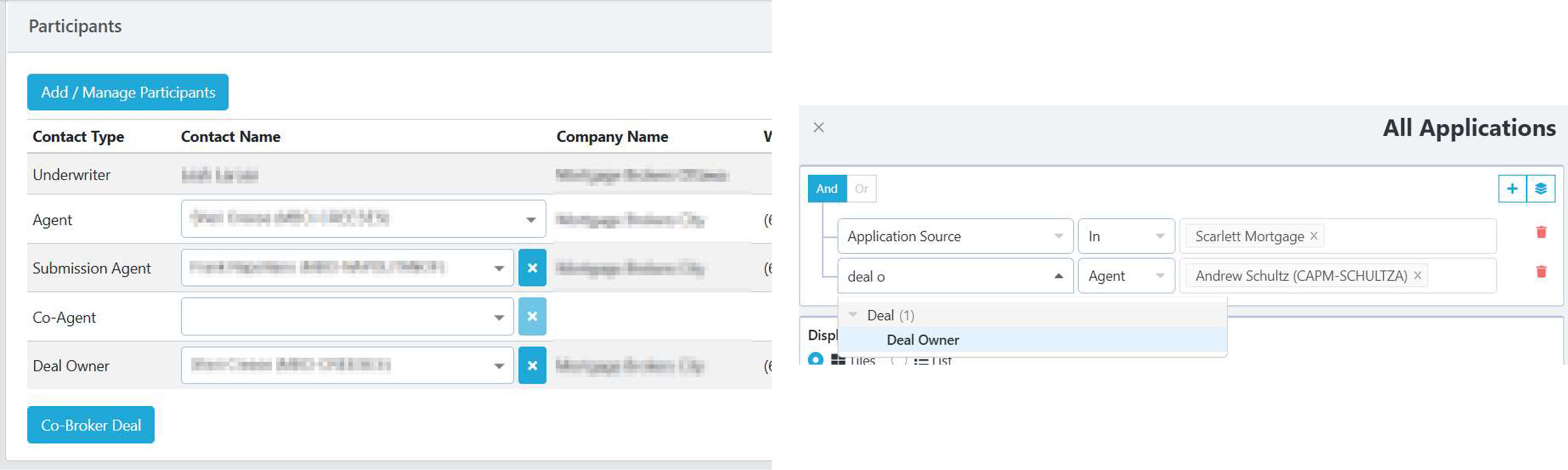
Enhanced Deal Owner Filtering & Merge Fields
We’ve expanded the functionality of the Deal Owner field to provide greater flexibility for brokerages using centralized processing, hubs, or
fulfillment teams.
The Deal Owner field is now available in deal filters, and Deal Owner name fields can be used as merge fields in communications and
templates. This makes it easier to identify and communicate with the original deal owner, even when the Agent on Deal changes for submission
or processing purposes.
Please note: Deal Owner functionality is available upon request and is not enabled by default for all brokerages.
Improvements
Updated Nova Scotia Form 2 Disclosure
The Nova Scotia Form 2 Disclosure has been updated to accommodate new provincial regulatory requirements taking effect December 1,
2026.
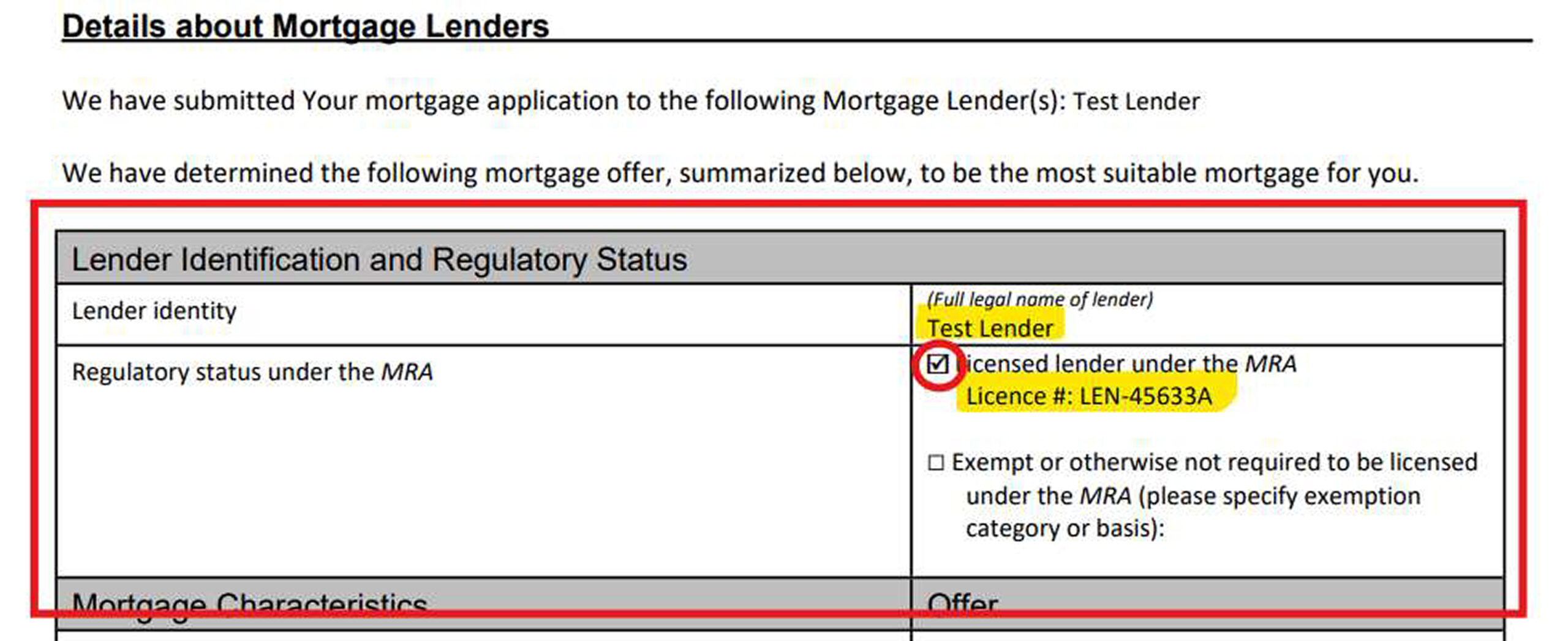
The form now includes a new Lender Identity and Regulatory Status section, allowing you to identify the lender and specify whether they are
licensed or exempt from licensing requirements.
Lender Identity automatically populates with the accepted lender’s name but remains editable. Regulatory Status allows you to select the
applicable lender classification and enter the corresponding licence number or exemption details.
These updates help ensure your Nova Scotia disclosure forms reflect the latest regulatory requirements while minimizing manual entry.
Bug Fixes
Improved Document Management in the Applicant Portal
Managing your clients’ documents is now easier and more convenient!
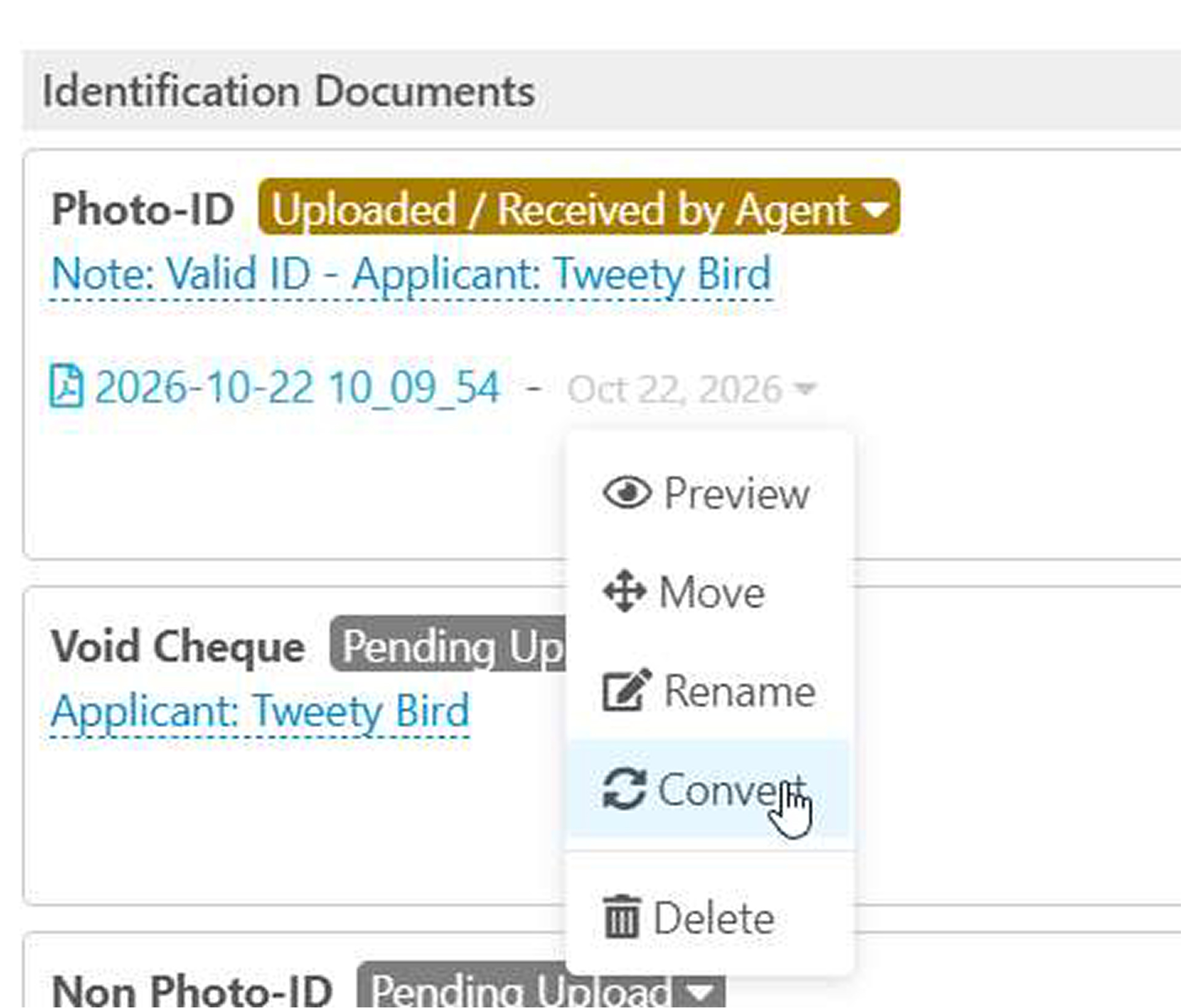
You can now move documents between categories, rename files, convert images to PDFs, and merge and download multiple documents into a
single PDF, all directly from the Applicant Portal > Documents section of your deal.
These enhancements make it easier to organize and manage your clients’ documents without having to switch between the Applicant Portal
and Documents & Forms.
Improved Reliability of Applicant Address Information
We’ve corrected an issue that could cause applicant address information to be unintentionally removed from a deal.
This correction improves the reliability of applicant address records, helping ensure that address information is retained when working with and
updating mortgage applications.
Improved Acceptance of Multiple Mortgage Responses
We’ve corrected an issue that prevented you from accepting a lender response for a second mortgage when a first mortgage response had
already been accepted.
You can now accept a separate lender response for each mortgage position, allowing you to manage first and second mortgage approvals
within the same deal.