Version 1.1.7.24597
New Features
New Login Page for App 3.0 to capture Applicant’s details earlier
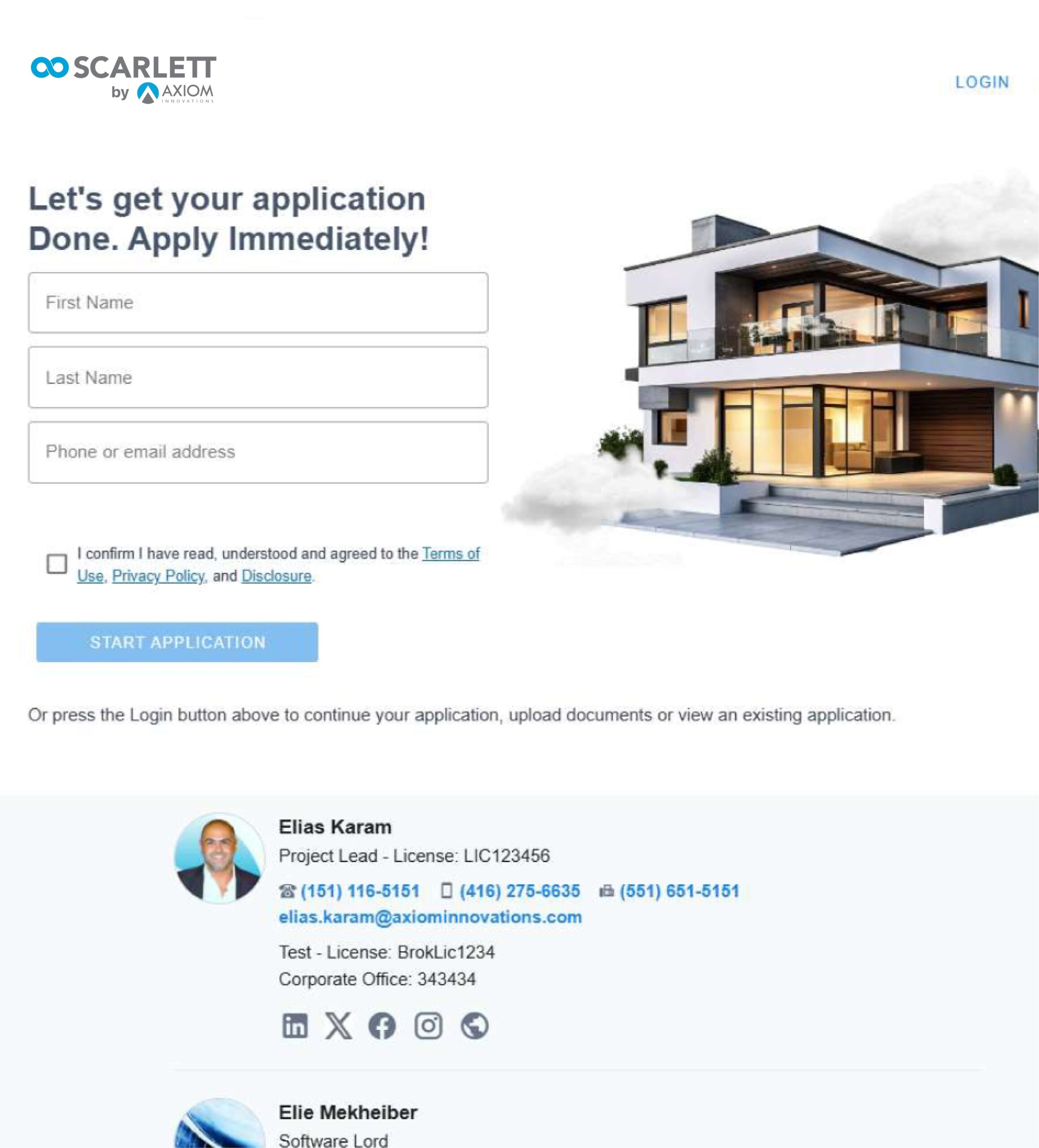
A new enhancement was released for App 3.0's Login page to capture an applicant's first name, last name, and their contact details (email address or phone number) upfront. This allows Scarlett Origination to capture a new mortgage application even earlier than before. As soon as an applicant completes login verification (via their email or phone number), even before the Application’s interview stage is completed, a new Application is created under the Work-In-Progress tile on your Deal Dashboard. This will ensure you never lose a lead and always have the opportunity to follow up on every application that is started through Scarlett Origination, no matter where your client leaves it.
Purpose-built access for a streamlined experience
We've refined the way clients access their Application Portals to provide a more intuitive experience and ensure they’re always in control of their journey. Clients now have two clearly defined options:
- Start Application – Initiates a brand-new mortgage application from scratch.
- Log In – Opens the client’s portal, where they can view or continue existing applications, review or manage document requests, and view Mortgage Summary Pages.

App 3.0 Settings page – additional options available
To accommodate these new features, some additional options were added to the App 3.0 settings page giving agents the ability to control and modify their Application’s content and appearance on the client’s view of the App Login Page. You’ll find a list of all the new settings available below:
- Login Page Image – giving the agent control over which available images to display
- Modify Page Title (EN & FR)
- Modify Consent Checkbox Language (EN & FR)
- Show / Hide Disclosure
- Show / Hide Copyright
- Adding Company Logo (FR)

Along with these new settings is also the ability to modify the text displayed to your client's when they reach the "Add Co-Applicant" and "Invite Co-Applicant" stage of their Application.

Improvements
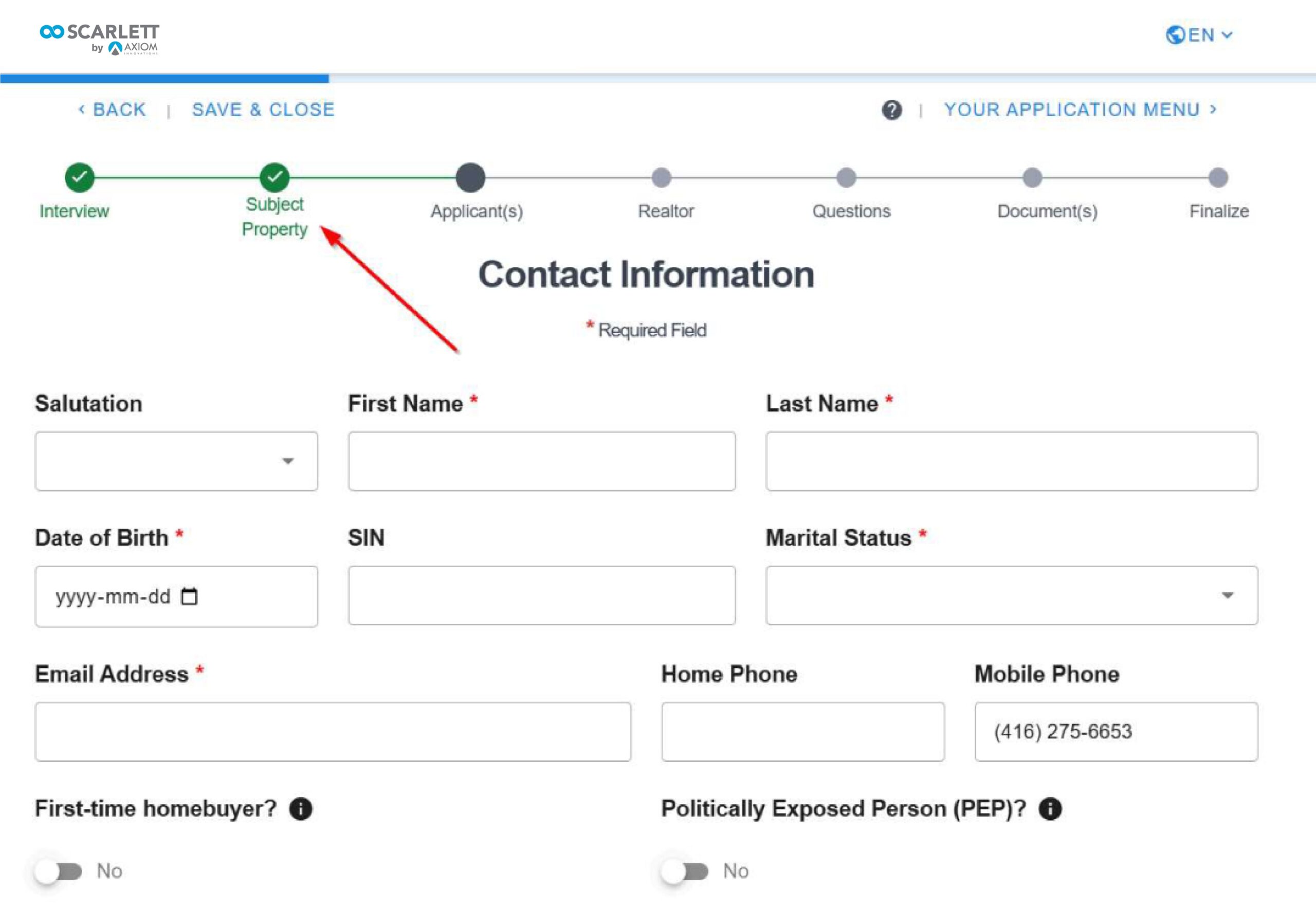
Splitting the Interview section and adding Subject Property information as a separate step
This change splits the Subject Property details from the Interview Section of the client's Application flow so that it becomes a defined aspect of the application and is easier to find and refer to after the fact. Just like before, the Subject Property details will only appear if the client has selected the appropriate fields in the Interview Section.